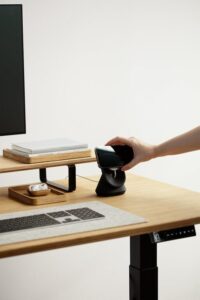
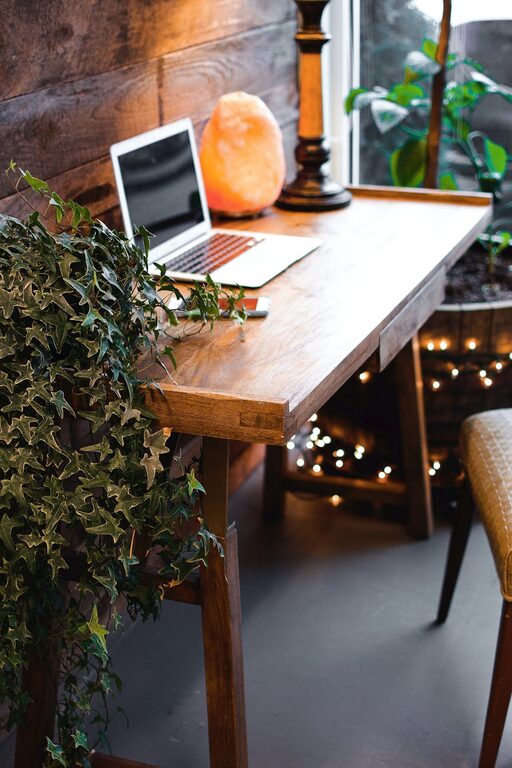
Creating a home office that is both cozy and productive can make a significant difference in your work quality and overall well-being. With more people working from home than ever before, having a designated space that encourages focus while feeling comfortable is essential. Whether you have a spare room or just a small corner, here are practical tips to help you design a home office that works for you.
Choose the Right Location
The foundation of a great home office starts with choosing the best location. Ideally, your workspace should be in a quiet area away from distractions like television or high-traffic zones. If possible, select a spot near a window to take advantage of natural light, which can boost mood and energy levels.
Tips for location:
– Avoid places near noisy appliances or doorways.
– Ensure there is enough space for your desk and chair.
– Consider your internet connection strength if you need video calls.
Invest in Comfortable Furniture
Comfort plays a huge role in productivity. An ergonomic chair that supports your back and proper desk height can prevent discomfort and fatigue. Since you’ll spend many hours there, prioritize quality over style alone.
Recommended furniture features:
– Adjustable chair height and backrest.
– Desk with enough surface area for your computer and other work essentials.
– Footrest, if your feet don’t comfortably reach the floor.
Optimize Lighting
Good lighting reduces eye strain and keeps you alert. Combining natural light with task lighting gives you control throughout the day.
Lighting tips:
– Position your desk perpendicular to windows to avoid glare on your screen.
– Use a desk lamp with adjustable brightness and color temperature.
– Consider soft, warm overhead lighting to create a cozy ambiance.
Keep Your Space Organized
Clutter can hinder your focus and creativity. Keeping your workspace tidy and organized helps maintain clarity and efficiency.
Organization strategies:
– Use shelves, filing cabinets, or storage boxes to keep paperwork off your desk.
– Employ drawer organizers for small office supplies.
– Create a charging station to manage cables neatly.
Personalize Your Workspace
Adding personal touches can make your office inviting and inspiring.
Ideas for personalization:
– Hang art, photos, or motivational quotes.
– Include a plant or two for a touch of nature.
– Choose colors and textures that make you feel calm and happy.
Minimize Distractions
Distractions reduce productivity, so it’s important to manage them effectively.
Ways to reduce distractions:
– Set boundaries with family or housemates about your work hours.
– Use noise-cancelling headphones if background noise is an issue.
– Turn off non-work notifications on your devices.
Establish a Routine
Designing your space is just part of the equation. Sticking to a schedule helps your mind associate the office area with work.
Routine tips:
– Start and finish your work at consistent times.
– Take short breaks to stretch or take a breath.
– Keep a to-do list to track tasks and progress.
Add Amenities for Comfort and Wellness
Managing comfort and wellness is key to maintaining energy throughout the day.
Comfort extras:
– Keep a water bottle handy to stay hydrated.
– Have healthy snacks nearby.
– Consider a small fan or heater to control temperature.
Technology Setup
Ensure your tech setup supports your productivity without causing frustration.
Tech considerations:
– Use a reliable computer and fast internet connection.
– Invest in a good quality webcam and microphone if video calls are frequent.
– Organize cables to prevent tangling.
Final Thoughts
Creating a home office space where you feel both cozy and productive takes a bit of planning but yields great rewards. By thoughtfully selecting your location, furniture, lighting, and organization methods, you can design a workspace that supports your best work and well-being. Remember, your workspace should evolve with your needs, so don’t hesitate to make adjustments over time. Happy working!