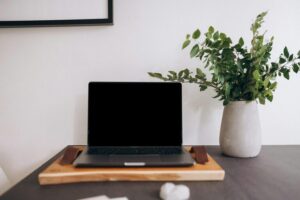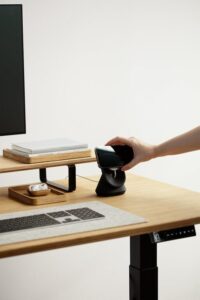
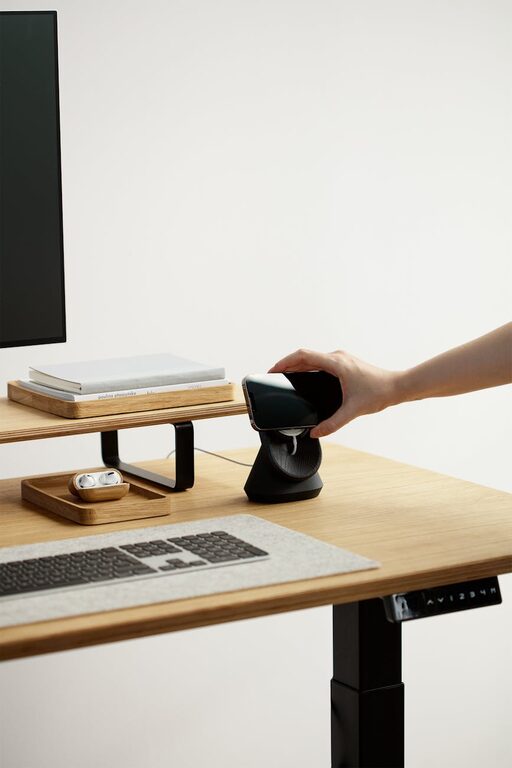
Creating an efficient home office setup is essential for anyone working remotely or managing tasks from home. A well-organized, comfortable space can increase focus, reduce distractions, and make your workday more enjoyable. Whether you have a dedicated room or just a small corner, these tips will help you design an effective workspace tailored to your needs.
1. Choose the Right Location
Consider Natural Light
Select a spot with plenty of natural light. Sunlight can improve mood and energy, helping you stay alert during work hours. Position your desk near a window, but be mindful of glare on your computer screen.
Minimize Noise and Distractions
Find a quiet area where household noise is limited. If that’s not possible, consider noise-cancelling headphones or white noise machines to maintain focus.
Space and Privacy
Ideally, choose a space separate from high-traffic areas. Privacy helps create boundaries between work and personal life, which is especially important if your office doubles as a common area.
2. Invest in Ergonomic Furniture
Choose a Comfortable Chair
A supportive chair is crucial. Look for adjustable chairs that offer lumbar support to avoid back pain during long hours of sitting.
Desk Height and Size
Select a desk that fits your work style. You need enough surface area for your monitor, keyboard, and any paperwork. Ensure the desk height allows your arms to rest comfortably at a 90-degree angle.
Consider Standing Options
If possible, try a sit-stand desk to alternate your position throughout the day. This can reduce fatigue and improve circulation.
3. Optimize Your Technology Setup
Reliable Internet Connection
A strong and stable internet connection keeps video calls smooth and speeds up data transfers, reducing frustration.
Quality Equipment
Invest in tools that improve efficiency: a good monitor, an ergonomic keyboard and mouse, and possibly a headset for calls.
Cable Management
Keep cables organized to prevent clutter. Use cable ties, clips, or under-desk trays for a clean, safe workspace.
4. Organize Your Space
Declutter Regularly
Keep only essentials on your desk to avoid distractions. Store other items in drawers or shelves for a tidy environment.
Use Storage Solutions
Desk organizers, filing cabinets, and shelves help keep paperwork and supplies in order. Label storage containers for easy access.
Create Zones
Define areas for different tasks—such as computer work, reading, or creative activities. This helps keep your workspace functional and focused.
5. Personalize for Comfort and Inspiration
Add Plants
Indoor plants can purify air, reduce stress, and add a splash of color.
Personal Touches
Incorporate photos, artwork, or meaningful objects to create an inviting and motivating atmosphere.
Control Temperature and Lighting
Use adjustable lighting to reduce eye strain. A desk lamp with warm light can complement natural light. Keep the room at a comfortable temperature to maintain focus.
6. Establish a Routine and Boundaries
Set Work Hours
Having specific start and end times helps maintain a healthy work-life balance.
Use Visual Cues
Closing your office door or rearranging your desk at the end of the day signals that work time is over.
Take Breaks
Regular breaks refresh your mind and body. Stand, stretch, or take a short walk to boost productivity.
7. Maintain Cleanliness
Daily Tidying
Spend a few minutes at the end of each day to tidy your desk and organize papers.
Deep Cleaning
Regularly dust and clean your office to create a pleasant and healthy environment.
Conclusion
An efficient home office setup combines thoughtful furniture, smart organization, and personal comfort to support your productivity and well-being. By choosing the right space, investing in ergonomic tools, and maintaining an orderly environment, you can create a workspace that helps you get the most out of your work-from-home experience. Start with small changes and gradually build a home office that works perfectly for you.